

Install the design system CLI
Install the CLI
Clone the SDK repository and build from source:
Link the CLI globally so the experiences binary is available on your PATH:
Prerequisites
Before running the CLI, ensure you have the following:
- Node.js 24+
- pnpm 10.27+
- A coding agent CLI — One of the following, installed and authenticated:
- Claude Code (
claude) - OpenAI Codex (
codex) - OpenCode (
opencode) - Cursor (
cursor) — supported via--agent cursorbut not auto-detected byexperiences setup
- Claude Code (
- A Contentful Management API (CMA) token — Generate one in the Contentful web app under Settings > API keys > Content management tokens.
- A Contentful space with Experiences enabled
Run experiences setup to install a coding agent and configure your Contentful credentials automatically. See Set up your environment.
Set up your environment
Run the interactive setup wizard to install a coding agent and configure your Contentful credentials:
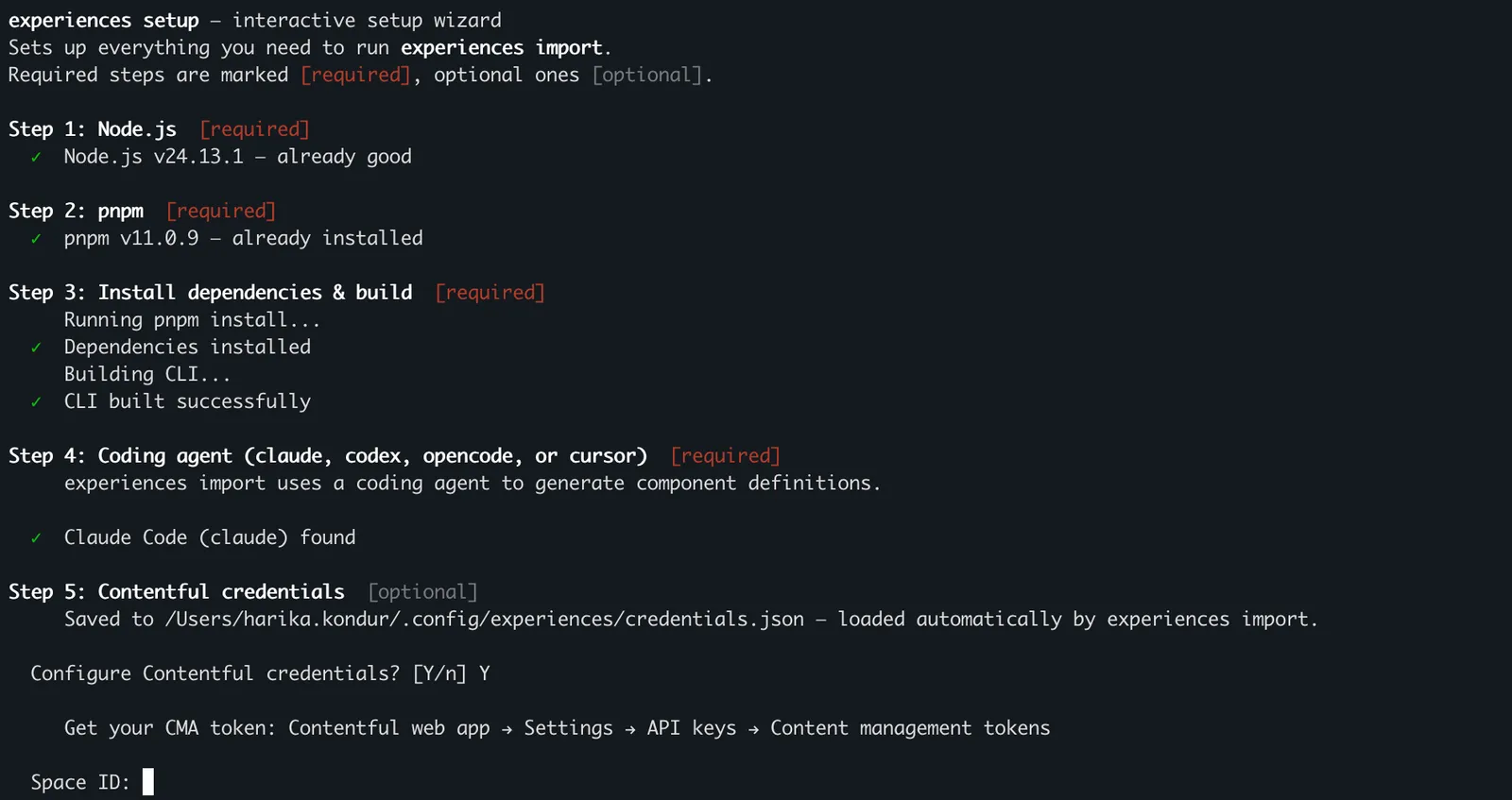
The wizard walks you through the following steps:
- Node.js — Detects nvm or fnm and offers to install Node 24.
- pnpm — Installs via corepack or npm.
- Install and build — Runs
pnpm install && pnpm buildfrom the monorepo root. - Coding agent — Detects claude, codex, or opencode on your PATH. If none are found, presents a menu to install one.
- Contentful credentials — Prompts for CMA token, space ID, and environment ID. Saves them to
~/.config/experiences/credentials.jsonso they pre-fill in future sessions. - Optional extras — Configure
EDS_EXTRACT_CONCURRENCYfor parallel extraction andNO_COLORpreference.
To skip individual steps:
Verify your environment
To check your environment at any time, run:
Next steps
Continue with these guides:
- Import components — Run the Component Type import pipeline.
- Import design tokens — Import design tokens from your codebase.